Data observability was supposed to solve the problem of bad data. In practice, it often creates a new one: a team that stops responding to alerts. Monitoring that was meant to protect quality becomes a source of noise, and worse, a source of erosion of trust in the entire platform. This is not a rare edge case. It is a natural consequence of how many teams configure their checks.
This article shows why well-intentioned monitoring can turn into a problem, and how to fix it before the team completely loses trust in alerts.
Table of Contents
Alert fatigue: when monitoring works but the team stops listening
Piotr Czarnas puts it plainly: “Alert fatigue is the worst enemy of data quality” . The problem is not that the tool does not work. The problem is that it works too well in the wrong sense. It generates hundreds of notifications, most of which do not require immediate action, and some of which are false alarms.
The effect is predictable. The team stops reading alerts. The Slack channel that was supposed to be a place for quick response becomes background noise. A critical issue gets lost among dozens of notifications about tables nobody uses. This is a classic mechanism: the more monitoring you add, the less actionable each individual alert becomes.
In the DQOps eBook on improving data quality, we point to two specific sources of this problem: thresholds configured too conservatively, which generate an excess of false positive alerts, and complex ML rules whose results are difficult to verify without running an ML model. Both lead to the same outcome: the team loses trust in the system that was supposed to help them.
False alarms: when a check punishes something that is normal
A false alarm is not just an annoyance. It is a signal that a check was configured without understanding the data it monitors. Example: a rule says customer_id must be exactly 10 characters. But records from a legacy CRM before 2001 use 8 characters. The check fails on every run, and the team learns to ignore it.
At DQOps, we describe this as a self-calibration problem: if thresholds are too sensitive, the tool detects false outliers even for tiny measure changes. This is not a flaw in the tool. It is a flaw in configuration that stems from the assumption that data always looks the way it did when the check was created.
False alarms have another, less obvious effect. When a check fails for a reason that is not a real problem, the team stops trusting all checks. Even the ones that work correctly. Trust in a monitoring system is collective: one false alarm undermines the credibility of the rest.
When monitoring erodes trust in the platform
The worst scenario is not that the team ignores alerts. It is that the team starts avoiding the platform. If every check run generates an avalanche of notifications, the data engineer stops running them. If every dashboard report requires manual verification, the analyst stops using it.
This is the moment when monitoring stops being a quality tool and becomes an obstacle to work. Piotr describes the solution to this problem as separating two concepts: Data Quality Issue (a single detected violation) and Data Quality Incident (a managed remediation process) . An Issue is a fact: “there is a NULL in column X.” An Incident is a decision: “we open a ticket, assign an owner, and track it to resolution.” Without this separation, every recurrence of the same problem generates a new alert instead of being linked to an existing incident.
How to fix monitoring that has become the problem
The fix is not to disable checks. It is to change how they are run and reported.
Group recurring violations into incidents. The first detection of a problem opens an incident and sends an alert. Subsequent runs that detect the same problem do not generate new notifications, only update the existing incident . This is one change that reduces alert fatigue more than any threshold tuning.
Calibrate thresholds on history, not assumptions. Instead of setting fixed values based on how things “should be,” use historical data to determine what is normal for that specific table. DQOps supports automatic pattern detection and anomaly detection that reduce false alarms .
Limit monitoring to tables that matter. Not every table needs checks. In the DQOps table prioritization article, we classify tables as critical, high, normal, and low priority. Starting with high-priority tables reduces the number of checks without losing coverage of what actually matters.
Route alerts to people who can act on them. An alert that goes to a general channel is an alert nobody reads. Assign checks to the table owner or steward who knows the context and can make a decision.
Regularly review checks that have never failed. A check that has not detected a problem in months is probably not monitoring anything meaningful. It is either misconfigured or monitoring a table that does not need protection. Both are reasons to remove or redesign it.
Summary
Data observability is not a problem in itself. The problem is monitoring configured without thinking about who will respond to an alert and how. A check that was meant to protect quality can damage it if it leads to alert fatigue and erosion of trust. The fix does not require a new tool. It requires three things: grouping violations into incidents, calibrating thresholds on historical data, and limiting monitoring to what actually matters.
Data quality best practices - a step-by-step guide to improve data quality
- Learn the best practices in starting and scaling data quality
- Learn how to find and manage data quality issues
What is the DQOps Data Quality Operations Center
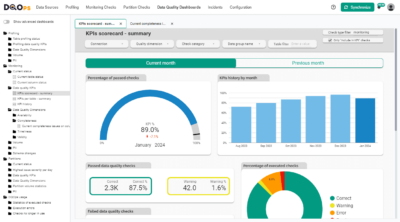
DQOps is a data quality and observability platform designed to monitor data and assess the data quality trust score with data quality KPIs. DQOps provides extensive support for configuring data quality checks, applying configuration by data quality policies, detecting anomalies, and automatically finding patterns using machine learning. DQOps supports over 150+ data quality checks, which cover all popular formats used in data conformance testing.
DQOps is a platform that combines the functionality of a data quality platform to perform the data quality assessment of data assets. It is also a complete data observability platform that can monitor data and measure data quality metrics at a table level to measure its health scores with data quality KPIs.
You can set up DQOps locally or in your on-premises environment to learn how DQOps can monitor data sources and ensure data quality within a data platform. Follow the DQOps documentation, go through the DQOps getting started guide to learn how to set up DQOps locally, and try it.
You may also be interested in our free eBook, “A step-by-step guide to improve data quality.” The eBook documents our proven process for managing data quality issues and ensuring a high level of data quality over time. This is a great resource to learn about data quality.